Unlimited terminals · Free · Open source (MIT) · Local first

One conductor. Every agent in view.

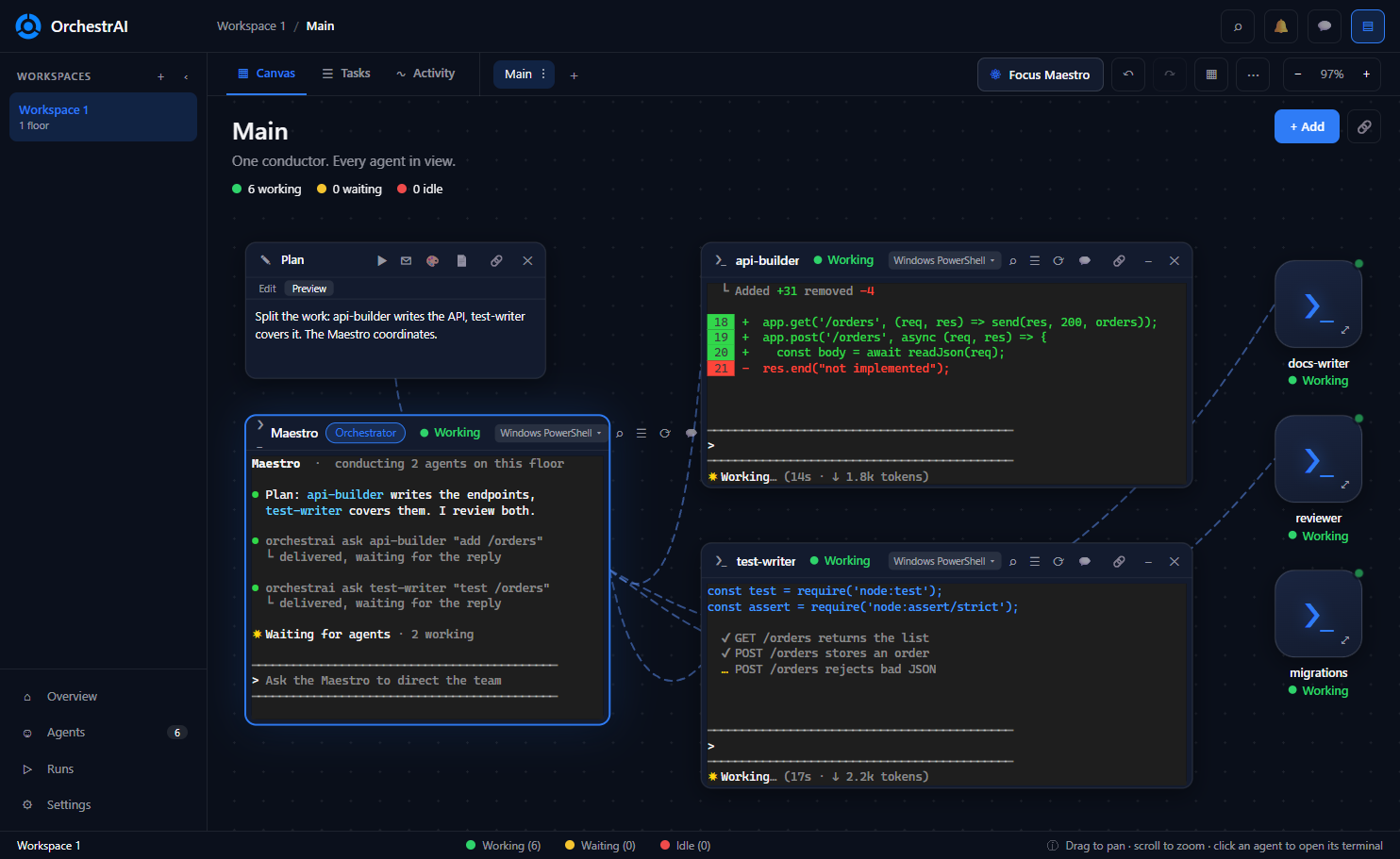
A spatial canvas for orchestrating AI coding agents. Lay out terminals, notes, git and browsers, connect them with ropes, give each agent its own git worktree, and let a Maestro direct the team.

Works with Claude Code, Codex, OpenCode, Antigravity or any CLI.

A Maestro terminal directing two open agent terminals and three minimized agent cards, connected by ropes, with a planning note

Everything your agents need, on one canvas

Stop juggling terminal windows. See who is working, who is waiting and who is done, at a glance.

♾️

Unlimited terminals

Open as many terminals, agents and workspaces as your machine can handle. No caps, no paid tiers, no license keys.

🎼

A Maestro that conducts

A conductor terminal can create, message and read other terminals through a local orchestrai CLI that only listens on 127.0.0.1.

🌿

Isolated git worktrees

Give each agent its own floor on a new branch. Review every diff, then land it with a no-fast-forward merge, or discard it.

🧶

Ropes connect agents

Wire terminals together so they can talk to each other. Connected agents can ask, answer and hand work over.

🗂️

Open or minimized

Keep the terminals you are watching open and shrink the rest to status cards. Working, waiting or idle, always visible.

📊

Task manager

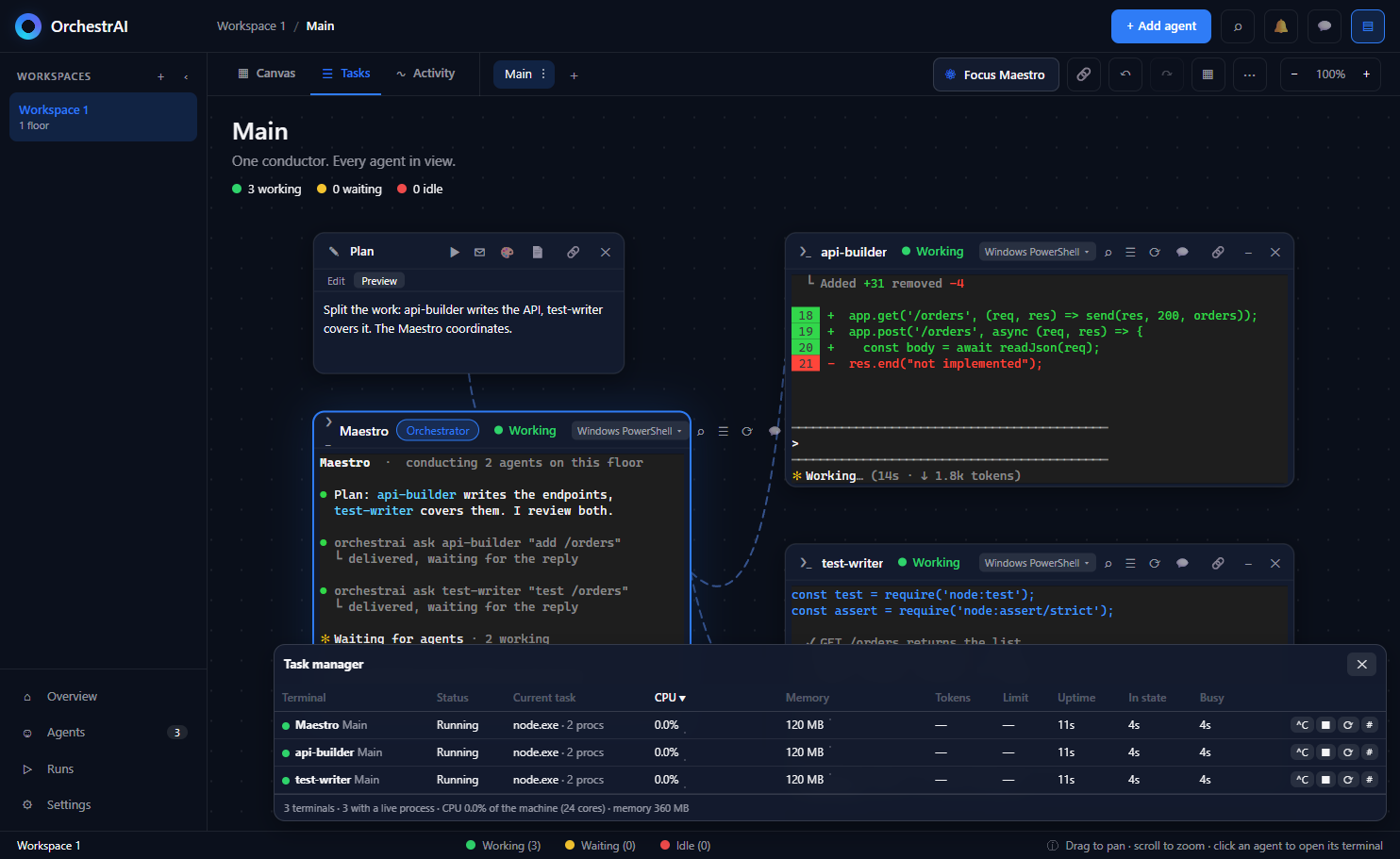
Every terminal in one table with status, CPU, memory and uptime. Spot a stuck or heavy agent at a glance, and stop or restart it from there.

📜

Activity log

A live feed of what each agent did and when: started working, waiting for you, gone idle. Filter by state, and get a notification when one finishes.

🔌

Bring your own agents

Not tied to a vendor. Run several agent CLIs side by side, on PowerShell, Git Bash, WSL, SSH or Docker, even on different accounts.

🌐

More than terminals

Notes, drawings, file trees, git, chat, a browser portal and an Android device node live on the same canvas.

📱

Remote control

Watch terminals and answer prompts from a phone or tablet over Tailscale or a tunnel. Off by default.

🔒

Local first

No account, no telemetry, no cloud required. Workspaces and scrollback stay on your machine in plain JSON, with automatic backups.
From idea to a working team in minutes

The canvas is the whole interface.

Add your agents

Press + Add, pick a terminal, and choose a quick-start preset such as Claude Code or Codex.

Connect them

Select a node, press C, and click another. A dashed rope links the two.

Name a Maestro

Mark one terminal as the Maestro and describe the goal. It recruits and directs the rest.

Review and land

Check each floor's diff, run your checks, then merge the work back or discard it.

See the whole team at once

The task manager lists every terminal with status, CPU, memory and uptime, so a stuck agent never goes unnoticed.

  • Live status for every terminal across all floors.
  • Notifications when an agent finishes or needs you.
  • Usage tracking for tokens and limits per provider.
Task manager listing the running terminals with status, CPU, memory, uptime and controls

Set up each terminal your way

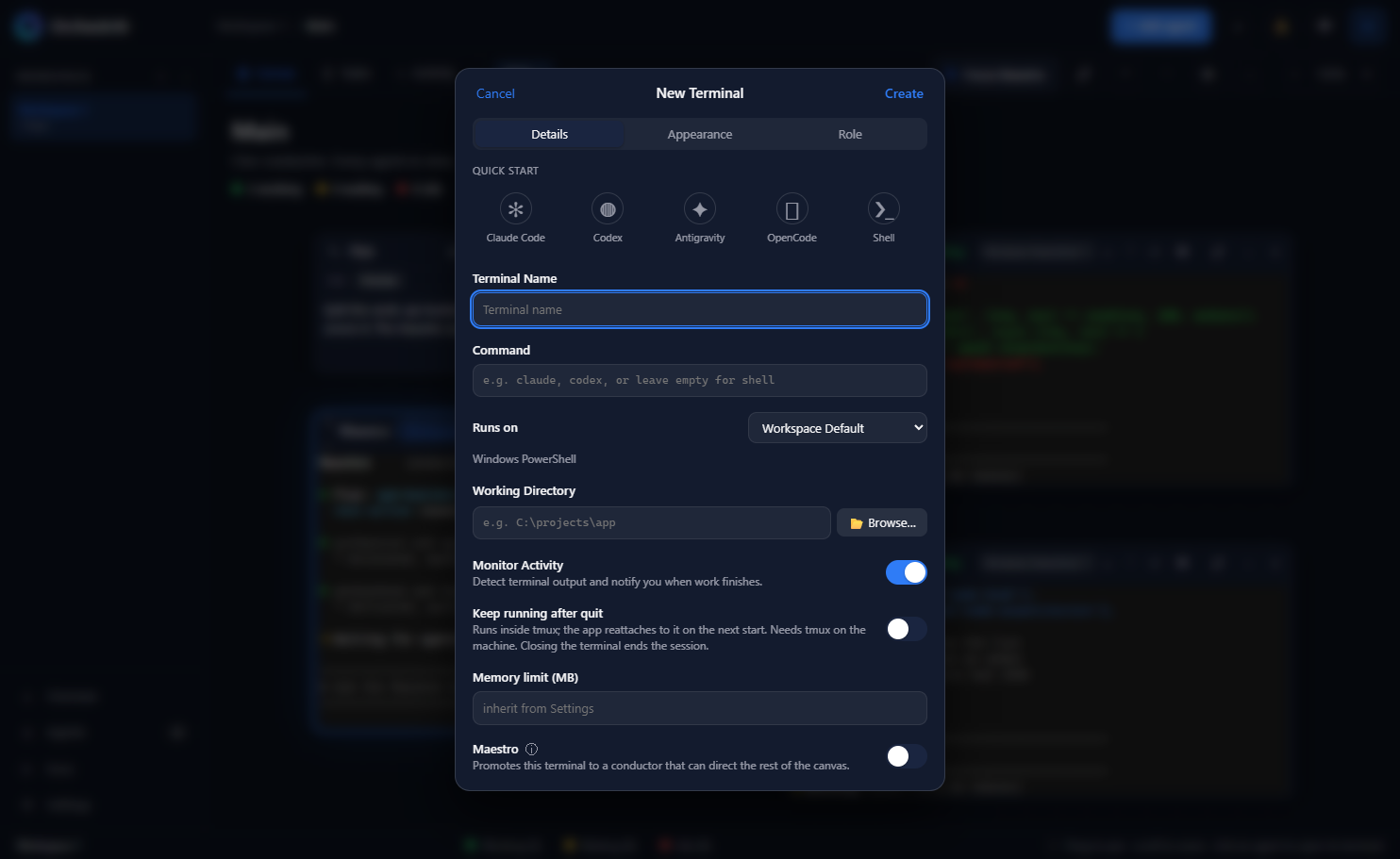
Choose the command, where it runs, its working directory and its role. Presets make a new agent one click away.

  • Runs on local shells, WSL, SSH or Docker.
  • Roles give an agent standing instructions.
  • Themes and fonts per terminal, light and dark.
The new terminal sheet with quick-start presets

Get started

Download an installer from the releases page, or run it from source. Windows is the primary platform; macOS and Linux builds are packaged and smoke-tested in CI.

# requires Node.js 18+ and git
git clone https://github.com/adaumsilva/OrchestrAI.git
cd OrchestrAI
npm install
npm start

Or grab a ready-made installer from the latest release.

Free, open and yours

No workspace caps, no paid tiers, no license keys. Read it, fork it, change it. Contributions are welcome, including your first one.